Zymtrace RESTful APIs
Every Zymtrace instance ships with a built-in API Explorer, an interactive REST API reference you can use to explore endpoints, read documentation, and send live requests directly from your browser.
Opening the API Explorer
Click API Explorer in the top navigation bar of your Zymtrace instance.
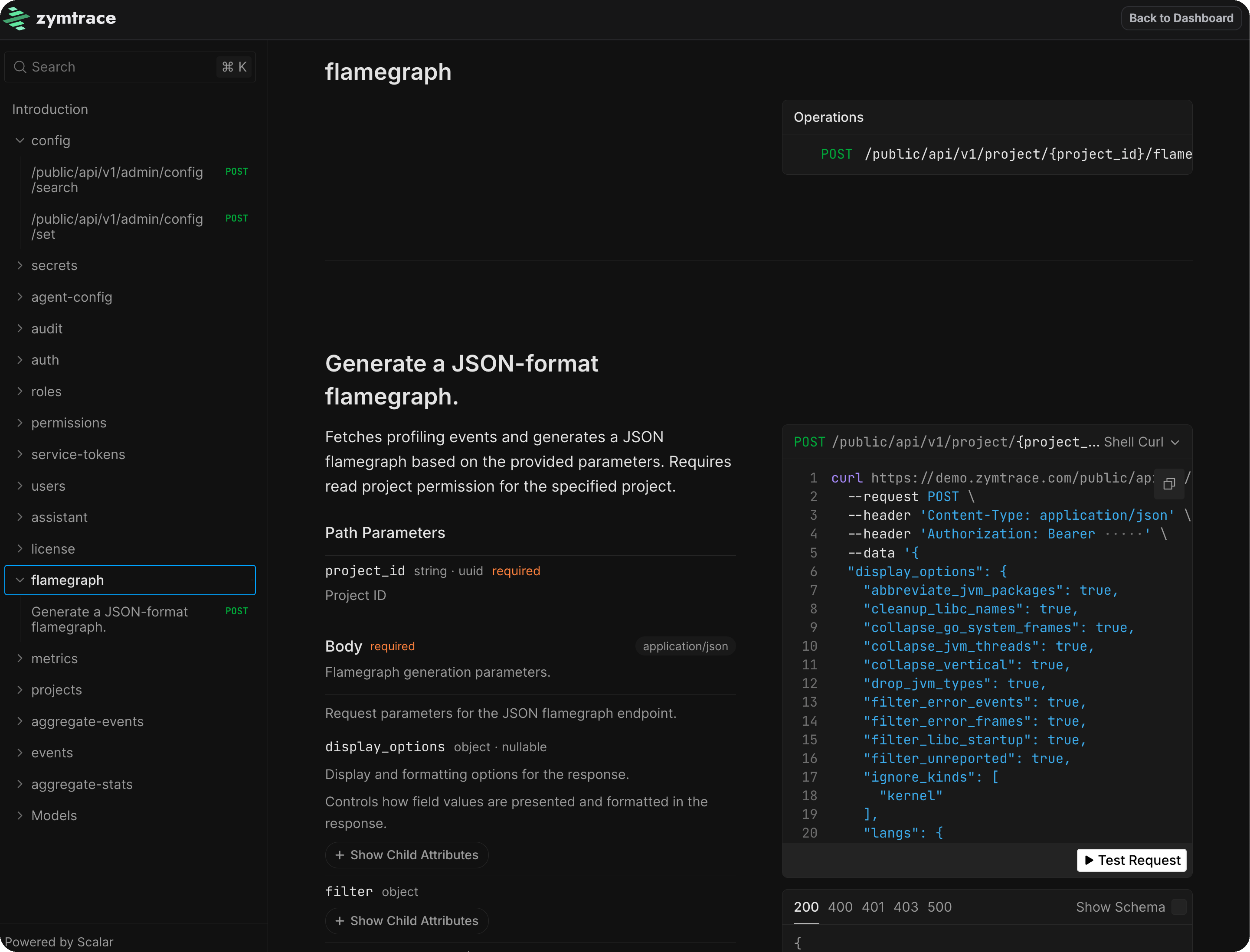
The API is versioned under /public/api/v1/ and organized into the following categories:
| Category | Description |
|---|---|
flamegraph | Generate JSON-format flamegraphs for a project |
metrics | Query CPU and GPU profiling metrics |
aggregate-stats | Aggregate statistics by container, host, executable, and more |
aggregate-events | Aggregate profiling events across your fleet |
events | Fetch raw profiling events |
projects | Create and manage projects |
users | Manage user accounts and profiles |
auth | Authentication and session management |
roles | Role management |
permissions | Permission management |
service-tokens | Create and revoke API service tokens |
config | System configuration |
secrets | Secret management |
agent-config | Profiler agent configuration |
audit | Audit logs |
license | License information |
Authentication
If authentication is enabled on your instance, API requests require a bearer token. Generate a service token from Profile → Account → Service Tokens and use it as the bearer token. See Service Tokens for step-by-step instructions.
Enter the token in the Authorization field at the top of the API Explorer, then use the Test Request button on any endpoint to send a live request.
Example Request
Generate a JSON flamegraph for a project:
curl https://demo.zymtrace.com/public/api/v1/project/123e4567-e89b-12d3-a456-426614174000/flamegraph/json \
  --request POST \
  --header 'Content-Type: application/json' \
  --header 'Authorization: Bearer <your-token>' \
  --data '{
  "filter": {
    "end_ts": 4102444800000,
    "event_kind": "on_cpu",
    "frame_mask": {
      "patterns": []
    },
    "query": null,
    "start_ts": 946684800000
  },
  "num_samples": null,
  "num_stat_buckets": null,
  "synthetic_frames": [
    "deployment"
  ]
}'
A successful response returns the flamegraph data as JSON.