K8s Resource IQ
K8s Resource IQ compares the CPU and memory requests and limits of your Kubernetes containers with their observed usage. It shows how much requested capacity you can reclaim, which containers need more, and the values to apply.
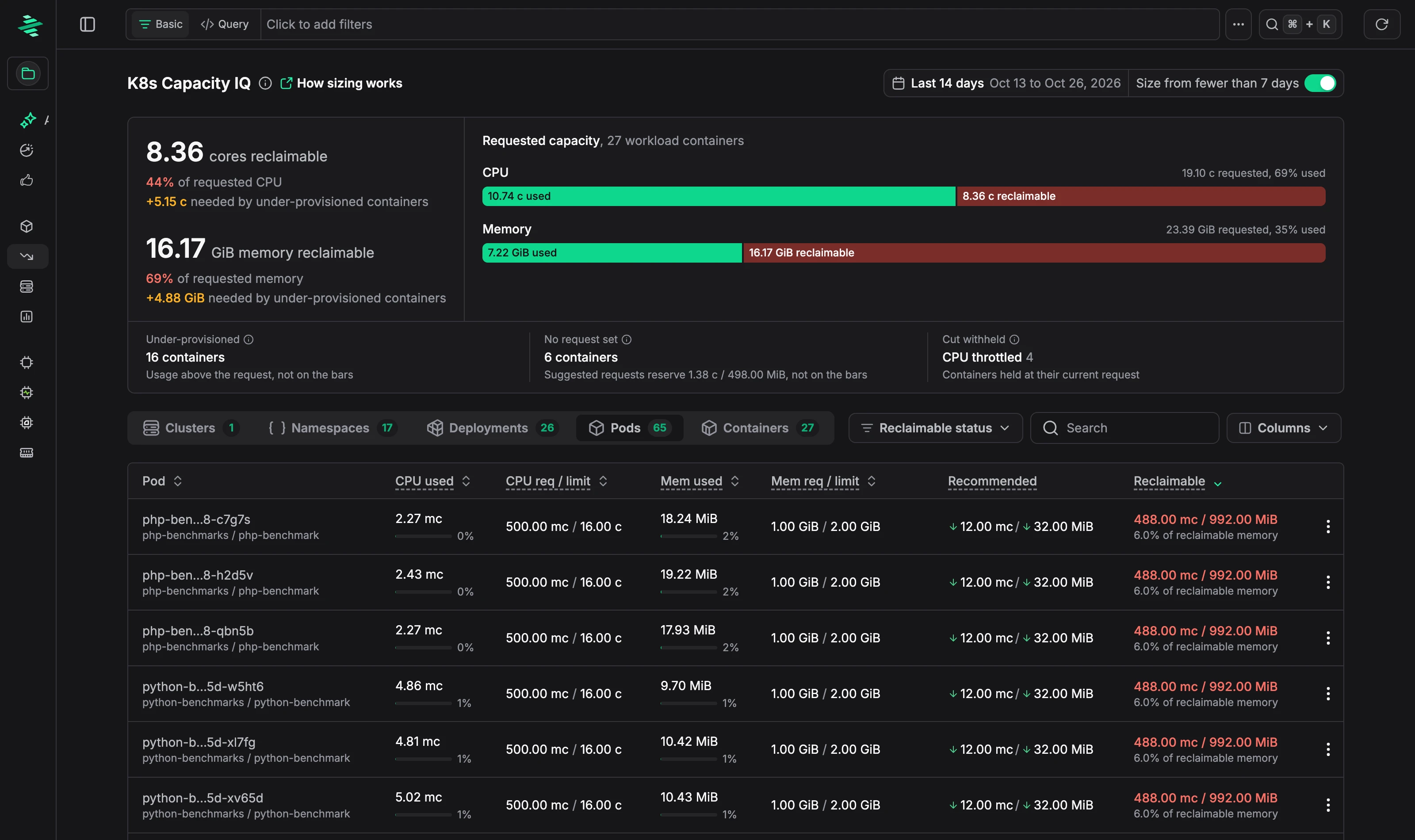
Capacity summary
- Reclaimable CPU and memory: capacity requested but not needed, as a total and as a share of what's requested. Capacity needed by under-provisioned containers is shown separately.
- Requested capacity: for CPU and memory, how much of the total request is used and how much can be reclaimed.
- Under-provisioned: containers that use more than they request.
- No request set: containers without a request, and how much the suggested requests would reserve.
- Cut withheld: containers where a reduction looked possible but isn't suggested, for example because they're CPU throttled. They keep their current request.
Group the table by Clusters, Namespaces, Deployments, Pods, or Containers. Each container row shows current usage, requests and limits, the Recommended request, and how much it frees up or needs.
How sizing works
Suggestions are based on usage over the sizing window, the Last 14 days by default:
- CPU is sized from usage percentiles (P50, P90, and P99) across the window.
- Memory is sized from the working set: memory usage minus inactive page cache. Kernel memory counts; cached files don't.
- Safety checks, such as CPU pressure and daily memory peaks against the limit, can hold back a reduction.
A container is sized once it has at least 7 days with enough data.
Getting suggestions sooner
Turn on Size from fewer than 7 days to size containers with less history. This is useful in the first 14 days after you deploy Zymtrace, or for new workloads, before a full sizing window is available. Suggestions based on fewer days reflect less of your traffic pattern, so review them before you apply them.
Applying a suggestion
Open a row's menu and choose View details to see:
- Recommendation: current and suggested request and limit for CPU and memory, and a
resourcesblock to paste into your container spec. Suggestions can raise values as well as lower them. For example, a CPU-throttled container gets a higher CPU limit. - CPU usage per pod and Daily memory peaks over the sizing window.
- Live pods seen in the last hour.
- Sizing inputs and Evidence behind the suggestion.
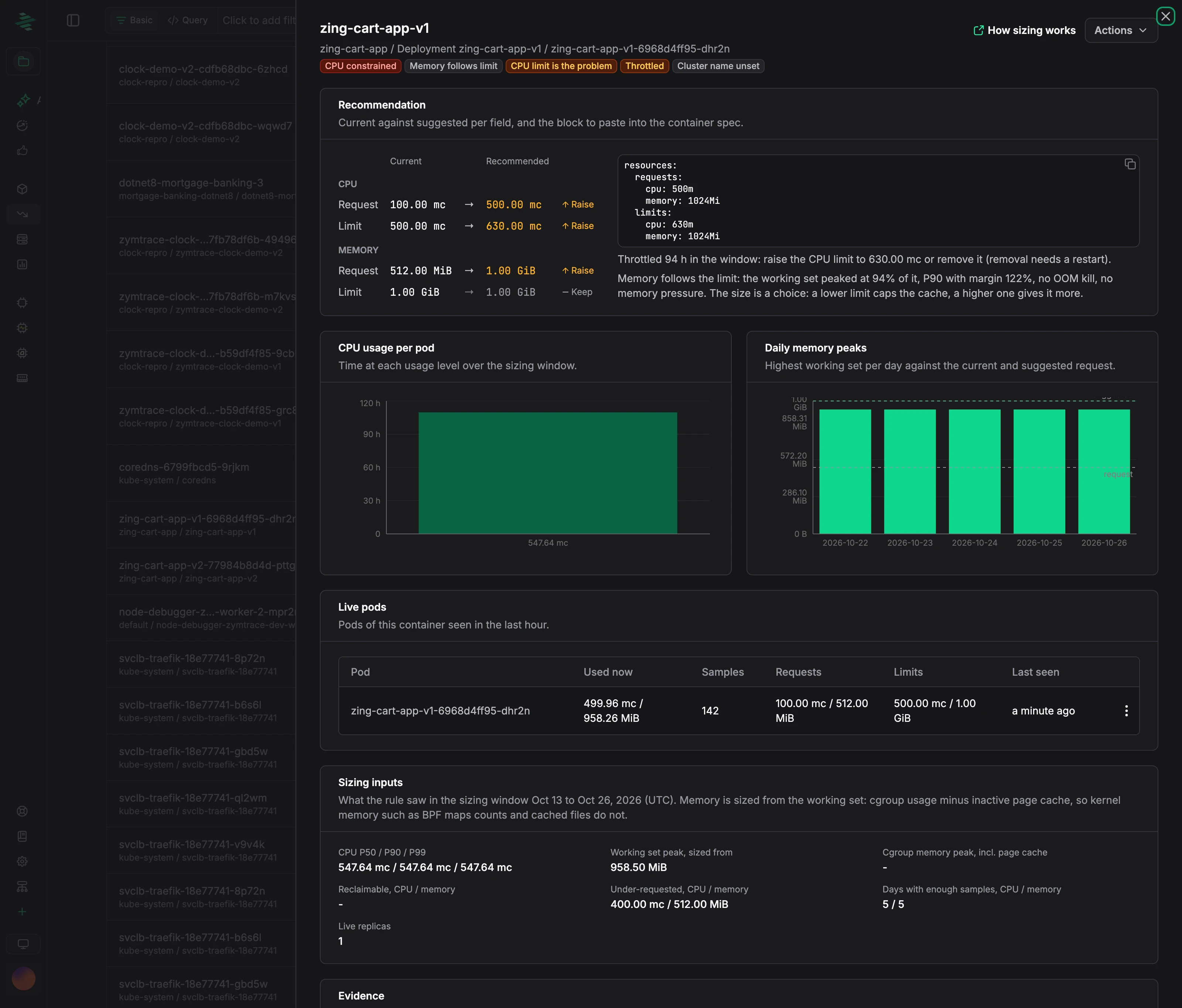
To copy the values directly, choose Copy resources YAML from the row menu. To see what's using the CPU, choose Analyze with CPU Flamegraph or View CPU Top Functions.